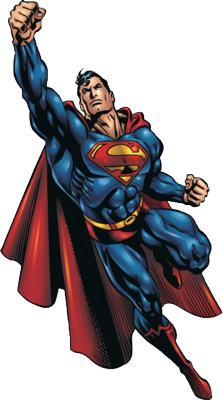
Hover growth
Move over the artwork or card: both scale together.
Waiting for your next adventure.
Key props
growOnHover={true} WelkUI!REACT EDITION
Explore live variants, compare states, and learn every prop. Pick a component to start.
A content-height clickable card with oversized decorative artwork overlapping its left edge. Card and sticker share one hover growth effect. Artwork sizing is managed by the component; the card remains a native button, so avoid interactive descendants.
import { WelkStickerCard } from "@welkui/react";
import superman from "./superman.png";

<WelkStickerCard title="A super adventure" subtitle="Start your mission."
  sticker={{ src: superman, alt: "" }}
  onClick={() => console.log("Mission accepted")} />
Import @welkui/react/styles.css once in your app. Stateful snippets belong inside a React component.
These are real components, not screenshots. Compare their appearance and try the controls. Key props below each preview show what changes; use the usage example above for imports and component setup.
Move over the artwork or card: both scale together.
Waiting for your next adventure.
growOnHover={true}The card still acts as a native button but does not enlarge.
Waiting for your next adventure.
growOnHover={false}Optional icon content accompanies the title and subtitle.
Waiting for your next adventure.
icon={<span>+</span>}Neither interaction nor hover growth is available.
Waiting for your next adventure.
disabledRequired props are marked in the default column. Other props are optional. ReactNode accepts text or JSX.
| Prop | Type | Default | Description |
|---|---|---|---|
title | ReactNode | Required | Main card heading. |
subtitle | ReactNode | Required | Supporting card content. |
icon | ReactNode | Unset | Optional leading artwork or icon. |
growOnHover | boolean | true | Enables the joined hover growth effect; disabled cards do not grow. |
sticker | Omit<WelkStickerProps, "className" | "style" | "width" | "height"> | Required | Sticker options: src and alt, with optional fallbackSrc, outlineThickness, outlineColor, elevateOnHover and other image attributes. Artwork is forced decorative (alt=""); independent elevation is disabled so both pieces move together. |
Inherits native button props, including children (except where replaced by named content props), onClick, disabled, type, name, value, className, style, aria-* and data-*; forwards a button ref. The default type is button, not submit.
Import @welkui/react/styles.css once in your app entry or Next.js root layout. The previews use the default theme; override --welk-* CSS tokens in your app to customize it.
For Next.js, put hooks and event handlers in a component beginning with "use client". Keep state local to the component using the control. The library preserves its client boundaries and uses your installed React version.
Use defaultValue or defaultChecked for uncontrolled fields, or a state value and its change callback for controlled fields. Do not switch between these modes during the lifetime of a field.
Modal and notification examples start closed: use their Try buttons to see them. Disabled examples are deliberately non-interactive. Validate forms, uploads, authentication, and server responses in your application; these components only provide UI.